Weekly Reflection #4: Knowledge Management & Classroom Collaboration Tools

This week, while have the class was at PSII, the other Hal of us looked into Knowledge Management tools and classroom collaboration platforms. What really came of these findings was how much teaching really happens behind the scenes. The only tools looked at this week that I actually has heard of were google Keep and Google cClassroom- the other ones were all new to me!

As a teacher in training, I am already extremely overwhelmed by the amount of resources, strategies and ideas that I have been collecting and continue to collect from classes, my peers, online spaces and profs. The tools explored this week; Google Keep, Trello, Raindrop.io, Obsidian, Hypotheses.is and Microsoft OneNote are all among tools teachers use on a daily basis to keep on top of work and organization. 

Something that has stood out to me so far in this program is the amount of times we have been told to never create something from scratch but rather share ideas, borrow thoughts and collaborate with others, because there is a good chance your idea has been done before, you just need to find it. I really appreciated the idea that content curation is an ongoing process. I also really like the idea of mainly focusing on collecting and organizing at the beginning of my career when I am still trying to figure out which kind of teaching style works for me. 

Some pros of these online tools:

  • They make it easier to store lessons, ideas, and resources in one space that is easily accessible
  • Helps reduce overload and burnout when planning lessons is easy 
  • Encourages intentional organization rather than scattered 

Some cons of these online tools:

  • It can become another tool to maintain and organize
  • Privacy is a really big concern, especially since many tools are hosted on U.S. servers
  • It’s tempting to collect endless amounts of resources without revisiting or applying any of them

The privacy reminder felt especially important, especially as an educator. We need to be SUPER mindful not to upload or share any personal information about our students and to make sure to ask the tech team when unsure about doing anything online. This is especially important now because of how common social media and using technology is among the students we will be teaching.

Thinking about the kind of tools I might be using in the future, I can see myself using Google Keep or Raindrop as I collect teaching strategies, PHE activities, French Immersion worksheets and even mental well-being resources and then categorizing them in a way that makes them easy accessible for quick use. 

The second part of this week’s topic that I enjoyed was the talk around Google Classroom. I have some experience with Google Classroom- when I was in high school it was sort of just being introduced, and then last year I completed my BC Soccer C License for coaching and the whole course was on Google Classroom, so I became very familiar with it over the course of 10 months. 

However, I was surprised to find out after some googling how versatile the platform really is- especially from a teacher perspective. It can hand out assignments, communicate with students and families, and even organizing resources.

Some of the features I really like about Google Classroom;

  • I can assign work to specific students- rather than call them out in front of the whole class, it can be done over Classroom and be kept private
  • I can sync the grades from Google Classroom to MyEd BC
  • I can provide real time and synced feedback to any assignment 

Something else I also really appreciated learning is that many of the skills can be easily transferred to other learning management platforms incase the district I work in doesn’t use Google. 

Some things that I don’t love about Google Classroom;

  • It requires constant device and online access by my students who may not have it
  • Will most definitely increase student screen time
  • May take more time to learn at first than other platforms
  • Loss of personal connection when assigning/grading work

Finding out about the Google Classroom Certification was also a nice surprise- having this under my belt would look good on a resume I would assume. While it is optional, it feels like a good way to build confidence with the platform before my first day on the job.

Overall, this week helped me see how Knowledge Management tools and classroom platforms work together to support both teaching and teacher organization. While there are clear limitations, the potential benefits feel significant, especially for new teachers trying to manage multiple responsibilities.

Foor For Thought: A Snack Series #1; Macie’s Birthday Sweet Treat Surprise!

For the first week of my Free Inquiry Project, it lined up perfectly with my friend Macie’s 24th birthday! So I didn’t really have to think much about what I was going to make… or so I thought. I thought making birthday cupcakes was going to be easy, but when they have to be gluten free and something that everyone will hopefully like, it actually proved to be more of a challenge than I thought.

Macie is celiac, and to my surprise, so are three other classmates, so it just made sense to make this week all gluten free since they were for Macie anyway. My plan was to make Macie 4 regular sized cupcakes for her birthday, and then make mini cupcakes for my classmates… not because I don’t like them as much as Macie but because I realized that this inquiry project in itself is going to be more expensive than I thought, so mini cupcakes seemed like the right move. So I made my way over to my BFF Pinterest to find some ideas. The nice thing about Pinterest is that when you search for something specific, it comes up with similar recipes to the algorithm that it thinks I would like, so the possibilities were truly endless.

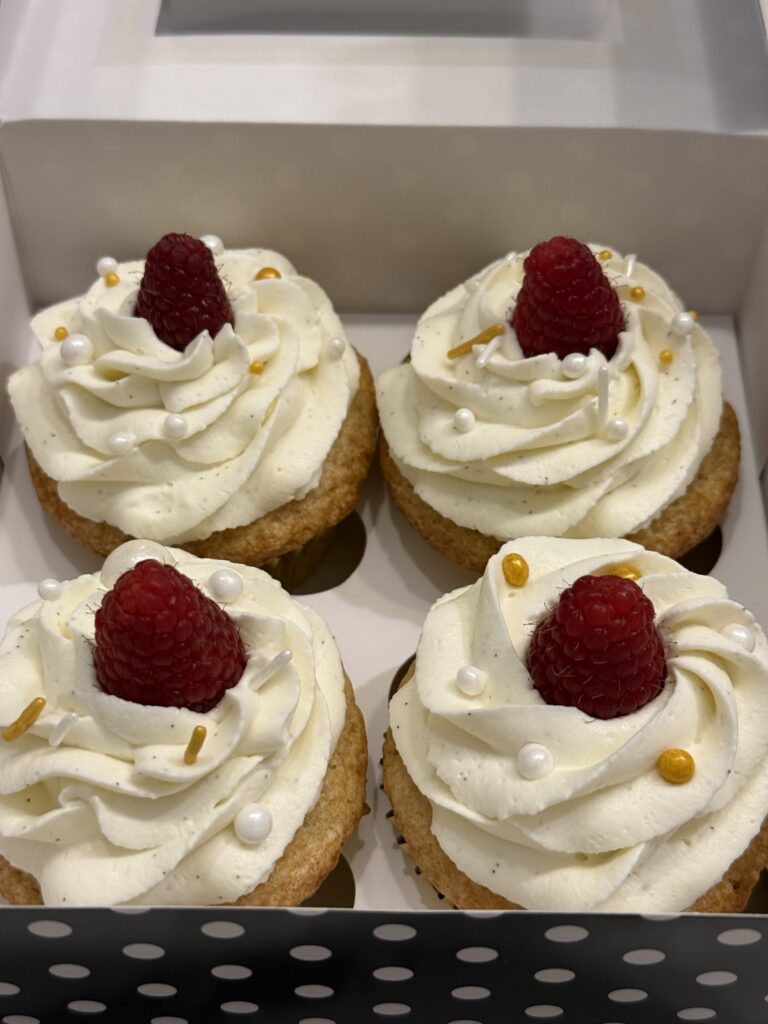
I made Gluten Free Vanilla Cupcakes with Raspberry Filling and Whipped Vanilla Bean Frosting for Macie. And I packaged them in a really cute box that reminded me of a funny conversation we had early last semester. She turned 24 and she was having a 24k Gold Birthday Party so I obviously wanted to follow suit, so the cupcake liners were gold as well as the sprinkles on top.

For the rest of my classmates, I made the mini versions of Macie’s. However, I quickly realized that filling these mini cupcakes with any kind of filling would be difficult so instead of raspberry filling, I strained the filling and made a sauce and I mixed the sauce into the frosting to make Whipped Vanilla Bean Raspberry Frosting. Sounds like a lot- I know, but it was worth it.

I was a bit nervous going into the first week of this project with a fully gluten free recipe. I have baked gluten free items before, but I am not the most confident…. My first critic was my dad. He had been watching me make them all night and I knew I had to save one for him. At first I didn’t tell him they were gluten free because I had a feeling he would rate it differently because of it. He took one bite and he told me they were the best cupcakes he has ever had. And sometimes, he doesn’t have the nicest things to say, so I was completely shocked. He ate the whole thing within seconds before I even had the chance to tell him they were gluten free. He said he couldn’t even tell. HUGE win for me. Made me feel really confident sharing them with my friends. He also said the frosting was some of the best he has ever had. I was a bit selfish in the fact that I really do not like most cake frosting- buttercream being my least favourite, so I searched the internet for other kinds and I ended up mixing 2 recipes together and to be honest with you, it was some of the best frosting I have ever had- I am impressed with myself. It was a combination of whipped cream cheese frosting and vanilla bean frosting. I definitely will be making it again!

I am sharing my snacks with my ED-D 408 Prosocial Behaviour class on Tuesday mornings at 8:30am. It’s kind of funny because there are some people in that class that I still don’t know because they are from the other cohort, but they are quite happy to indulge in my snack series, so it is what it is. I wasn’t really sure how to get feedback at first. Do I print out a small form for each person to fill out? Do I just get them to verbally tell me and I write it down? This first one was awkward because I hadn’t figured it out, until one of my friends suggested a google form to drop into the discord for everyone to fill out when they had the chance, so that is what I will do next time!

Some of the comments I got from this weeks snack:

⭐️Cupcake is moist- slightly grainy from being gluten free but good and the icing is good⭐️

⭐️ 9/10 because some parts tasted a bit floury- maybe because of the gluten free flour?⭐️

⭐️ I don’t usually like cupcakes, but I really liked these ones⭐️

⭐️Icing was light and delicious, some of the best icing I have ever had ⭐️

⭐️SOOOO GOOOOD⭐️

Overall, I am quite pleased with this week’s edition of Food For Thought; A Snack Series. Come back next week to find out what I make next!

Weekly Reflection #3: Generative AI

It is no doubt that we are currently living in a world of GenAI. Sometimes it is terrifying to think about- as the talk of the town these days is what jobs need to be carried out by human beings and what jobs can easily be replaced by GenAI. I try not to think about it as much, and then some big name director makes a movie or TV show that involves an AI world takeover and then it’s a terrifying thought again. But, in the teaching profession— something that hopefully will require human beings to do for a long time— GenAI can be helpful and a hinderance, depending on how you look at it. This week in class we talked about how GenAI can be applied and its implications. The main thing when talking about AI is remembering that the information puts out isn’t always reliable and correct. It is always important to fact check anything, but especially important if using GenAI.

From a student perspective, GenAI is a quick ressource for studying, writing papers, “reading” texts, and completing assignments. We talked about certain types of assignments like short essays, reading summaries, multiple-choice quizzes that can easily be completed with the use of GenAI, and for the most part, the output is quite high-quality. But on the other hand, other kinds of assignments like personal reflections, interviews, critical analysis are more difficult to run through GenAI without running into problems with the output. 

On top of all of that we discussed the ethical considerations when it comes to the use of GenAI; data privacy, generational access, and most interestingly- environmental impacts that GenAI plays. The most surprising of conversations came when talking about how much water a single GenAI prompt uses. Something I assume most don’t think about when asking GenAI to complete their assignments for them. 

As mentioned above, we talked about the major limitations of AI being its reliability, or lack there of. From an educator perspective, asking GenAI to generate lesson plans can be very helpful, however, going over each lesson plan in detail to make sure the information given is correct and reliable could double your time spent on one single lesson plan. While I think it could be a good place to start- for example if you have ideas about what you want to accomplish within a lesson or a unit, but maybe you dont know in what order or what order is best to present the ideas, running your lesson plan through GenAI could be useful in that sense, as it provides rational as to why it should be done a certain way, but it all depends on what you provide GenAI. There is also little personality within it, therefore leaving empty spaces within the lesson plans, especially if the educator follows it to a T. 

CoPilot provided me with a lesson plan that includes physical movement and on-paper learning of the muscles- just like I asked. It also provided me with learning goals as well as success criteria (I.e, what does it mean to be successful?). Overall, this plan isn’t terrible. It is a good, organized structure for a lesson plan, and includes everything that I asked, as well as teacher prompts to give the students to increase their thinking. The major parts that are missing in this lesson plan though, are the teachers roles and student roles, what are they supposed to be doing and how or why. As well as what the students should be able to demonstrate and know. The lesson plan template that UVIC provides us as teachings in training is a bit more in depth than others, so I can see this being an honest mistake, but overall, It is a good place to start, but it will require adding and tweaking lots of things if I were to use it for real. 

Weekly Reflection #2: Digital Storytelling, Screen Casting & Video Editing

Learn how to remove the background of a photo in the Canva photo editor.

This week we looked at creating digital stories using screen casting and video editing. We introduced HP5- a program that allows you to create a video and allows you to add an interactive element to it as well. You can add multiple choice questions, surveys, true or false questions anywhere in your video. This allows you to see if the people who are watching your video are actively engaging in it and understanding what you are sharing. For practice, I created a video that explains how you can remove the background of a photo using the Canva Photo Editor program. Maybe not the most useful tool, but I think it could come in handy for students wanting to make collages, adding their photos to a different background… there are many things that students or people using Canva could use this tool for.

I want to teach middle school… the earlier years of middle school I would say might be to early to introduce screen casting and HP5 to, especially given the fact that we as university students had a hard time doing it, I couldn’t imagine grade 6 students doing it seamlessly either- which isn’t the point, but I do think that it could be complicated. Something that I really like about HP5 was that when the questions pop up on the screen, the video stops so whoever is watching doesn’t have to work over time to listen to the video and answer a question about previous information. This element to me I think would work well in a middle school classroom if I were the one making the videos and asking my students to watch them. However, maybe grade 8 students, with the right explanation and instruction, could potentially use this kind of program to complete tasks or projects in class. Especially in French I feel like students could maybe make a video or do a skit or something and have verb tenses of some kind built into it and ask multiple choice or fill in the blank questions about wether the tenses used in the video were correct or not, or what other tense could possibly work, or for PHE they could perform a certain fundamental movement skill and questions could include wether or not they were performing it properly, using the right technique or considering the safety precautions. I think there are many positives with this program, but for older ages for sure. Something else that is really nice about this kind of program is that there are so many options- ones that I haven’t even explored yet, that no project will be the same from my students. It also will give students a feeling of autonomy when completing their own assignments.

I think the most important thing to think about when considering a flipped classroom for middle schoolers is taking into account their attention spans, access to technology and relationships with each other, family, and you as the teacher. In my experience in middle schools, students like hands-on activities where they can work in small groups and get their work done, so I think a flipped classroom could adapt well to this style. Maybe even have them watch a screencast video the teacher created and have them answer the interactive questions so you know they watched the video and them have them complete their assignments or homework in class with their peers. A flipped classroom allows for more collaboration between students, more time for them to ask the teacher questions or get help with things they aren’t sure of, and it also is helpful for students who may be absent, they won’t fall to far behind. The down fall of this method is some students may not have reliable internet or an adult to support them at home. They also might forget to watch the videos and maybe not engage with it as much as they should. Overall, I believe it could work, if it it structured well 🙂

Food for Thought; A Snack Series

Have you ever thought about what happens when learning leaves the classroom and enters the kitchen? Well… that is what we are going to find out!

Originally, this inquiry project was going to be a mix of both cooking and baking, and trying out new techniques however, the more I thought about it, the more I thought about how great it would be if I didn’t have an hour and a half travel time between home and campus. If my commute was much shorter, keeping things hot or fresh would be easy- but being so far away, I can’t really do that.. and I don’t really think that heating things up the microwave is the best idea either. So, I had to change my ideas a little bit. I decided to choose strictly baking, as most things (or at least the items I am going to make) do not require heating up or to be hot at all. But the foundations of the project remain the same: each will, I will bake something new. Something that I have never made before in hopes to keep the process exciting, unpredictable, and most definitely messy. The finished product will then be shared with my classmates, who will bravely taste-test my creations and participate in a short survey about their experiences.

This project isn’t really just about whether the things I make taste good (though that definitely is the main thing I care about). It’s about curiosity, risk-taking, reflection, and learning through doing. By documenting my process, both successes and failures, and getting feedback from others, I hope to learn something about myself and my baking abilities.

Ever since I found out what Pinterest was, it has been my go-to for recipes. There are millions of different recipes out there, and Pinterest creates an algorithm based on what I search for, what recipes I make or look at in depth, and with that algorithm, I often times get lost down a rabbit hole of all of these delicious treats I want to make someday. So I immediately went there for some ideas. I want to make something significantly different each week so that I can expand my horizons beyond simple cookies or cakes. I have create a Pinterest Board called : Inquiry Project, where I have been saving recipes that could work for this project. Just because I save them, does not necessarily mean that I will use them, but they are there just in case. You can find my Pinterest Board here.

Sometimes things will turn out exactly as planned. Other times… not so much. Either way, there will be learning, and lots of snacks 🙂

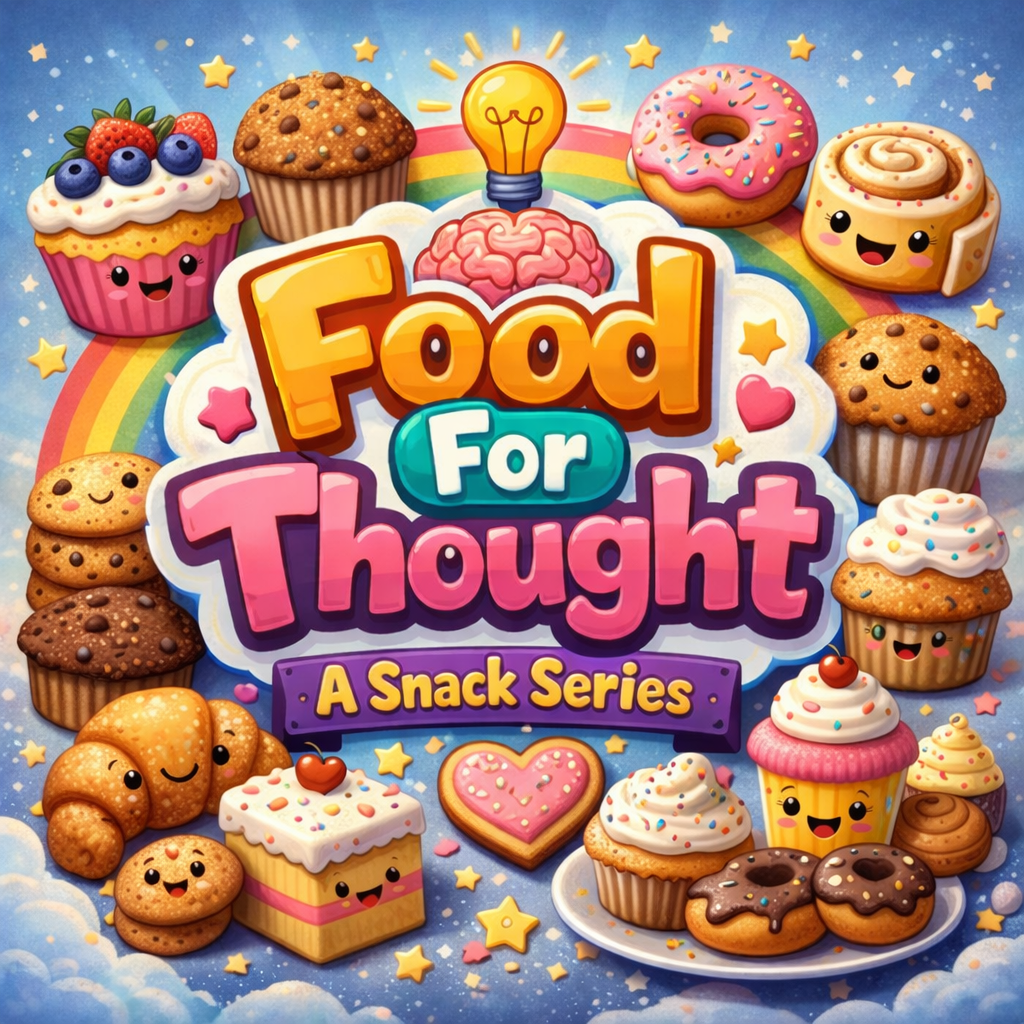
I asked ChatGBT to create an image that could be the face of my project;

Weekly Reflection #1

This week in EDCI 336 we talked about the BC Privacy Laws relating to education in BC, as well as the differences between Lesson Plans and Learning Plans. Something else that was of interest this week was our discussion about using generative AI in schools and how it could be used as a positive thing in some cases rather than a negative thing. The other subject that we talked about related to the documentary we watch called Most Likely To Succeed .

At first, watching the documentary felt surreal. In what world has school ever been looked at like this before- but I think that is the point. This is such a fun and new way to think about school and how students interact and participate in school. I did some more digging on High Tech High, and their website is great:

“Connect the classroom to the world.” is the first thing you see when you open up the website. I feel like this is a great first impression- especially when there are certain people out there who don’t believe in this type of schooling. And if I am going to be honest, it took me a while to come to terms with it as well. I think I am sitting on the edge of being fully supportive of it and kind of not at the same time. There were points hit in this documentary that make so much sense to have school this way, but there are other points that make this kind of school hard to wrap my head around. For example, I LOVE the idea of students leading their own learning and straying away from some of the traditional learning topics or ways of learning, however, I do feel like there are some truths in the way most of the population is taught right now.

Something that came up in conversation since watching the film is how hard it will be to change pedagogy. It has been the same way for soooo long- I am super interested to find out where it’s going, and maybe even a little more interested in finding out how it is going to get there too. I can’t help but think back to my time in high school… I was always a student who needed very clear expectations and criteria for an assignment or project or whatever it was (I actually still am), and thinking about this kind of school absolutely stresses me out… while I think I would learn to like it or get used to it, I think that it would have really had an impact on the way I learned or how much I understood

So the big question is “Do we need to reimagine education?” At first, this question feels overwhelming, as if education is one single thing to be rebuilt from the ground up… But education is made up of many moving parts, and it is far more powerful to look closely at those pieces rather than the whole. Reimagining education means shifting our focus away from memorization and focusing more on thinking, creativity, and problem-solving. Collaboration and adaptability are often treated as add-ons instead of central elements. Learning should have a bigger focus on understanding why and how knowledge is used, not only how it is required.

So, while not everything in education needs to be reimagined, the parts that do matter deeply should be reconsidered for a more inclusive and meaningful future for learning.